 Full Pilot
TR
Download
Your coding agents run on your computer. You steer them from your iPhone.
Approve requests from the lock screen with Face ID, give agents new tasks, and open the computer's screen to use the mouse and keyboard when you need to. You don't need an account to connect the phone to your computer, and our servers can't see your code or messages.
- No account
- Direct connection first
- Encrypted notifications
- Mac and Windows
- iOS 18+
What is Full Pilot?
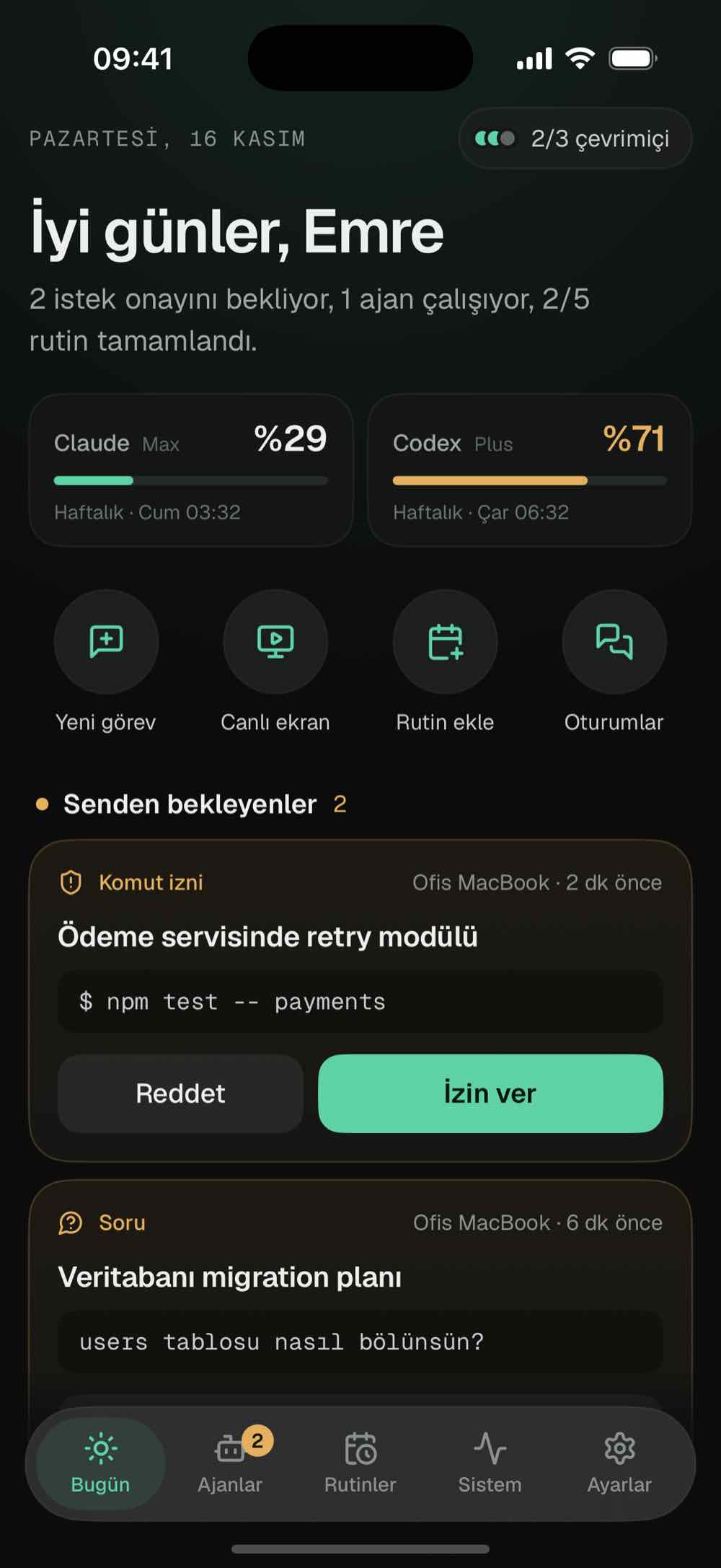
Full Pilot is an app for running the coding agents on your computer from your iPhone. You install a small background app on the computer and pair your phone once with a QR code. When an agent wants to run a command or change a file, your phone gets a notification, and you can answer most of them from the lock screen. From the phone you can start new tasks, send a message or a photo to a working agent, and watch and control the computer's screen. The agents still run on your computer with your own Claude or OpenAI account; Full Pilot has no AI model of its own. The link between phone and computer is end-to-end encrypted, and you don't need an account.
- AgentsClaude Code, OpenAI Codex and ACP agents (jcode, Gemini CLI, OpenCode…)
- ComputermacOS 13+ (Apple silicon and Intel), Windows 10 and 11
- PhoneiPhone, iOS 18+
- ConnectionEnd-to-end encrypted; direct first, through a relay if needed
- AccountNone; you pair with a single-use QR code
- Desktop appFree, updates itself with signed releases
What you can do from your phone
The agents keep working on your computer while you follow along on your phone.
Approvals on the lock screen
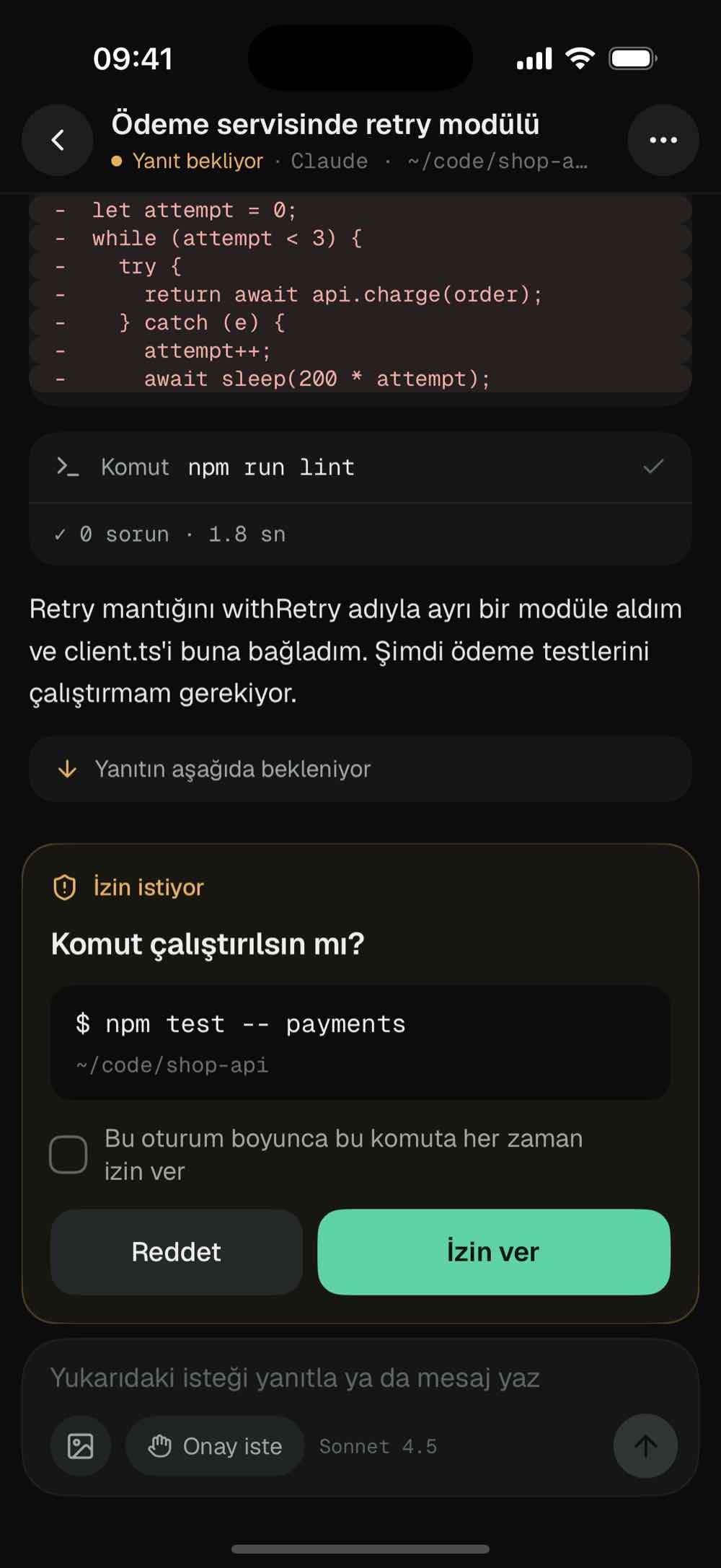
When an agent wants to run a command, change a file or ask you something, you get a notification. You allow it, allow it for this session or deny it. If the agent asks a question, the options show up on the notification. The Live Activity and the Quick Approve widget have Allow and Deny buttons too. If the computer can't be reached at that moment, your answer waits on the phone and goes out when the connection is back.
Your computer's screen on your phone
Watch the screen as video at up to 30 frames per second. Tap to click, hold to drag, scroll with two fingers; the keyboard has ⌘, ⌥, Esc and the arrow keys. The clipboard works both ways. While the screen is being watched, the computer shows a notice.
Agents can use your apps too
Full Pilot gives Claude Code, Codex and ACP agents computer tools. The agent reads open windows and the page in your browser from the accessibility tree, presses a button by its name and types into a field, without guessing screen coordinates. It works on macOS, Windows and Linux. It never reads or types into password fields, and in a read-only chat the tools are read-only as well.
Tasks, queue, routines
Pick a folder and an agent, write the task and attach photos. What you write while the agent works waits in a queue and goes out as one message when the turn ends, or you stop the turn and send it right away. Routines run on your computer at the time you set, and the result comes to your phone. You can also continue Claude Code sessions you started in the terminal.
Background work and limits
If Claude Code ends a turn but leaves a command, a monitor or a subagent running, the chat shows how long it has been running and you stop it with one tap. The Today screen shows pending requests, running agents and your Claude and Codex usage limits in one place. There are widgets, Control Center buttons and Siri shortcuts as well.
When you're away from the computer
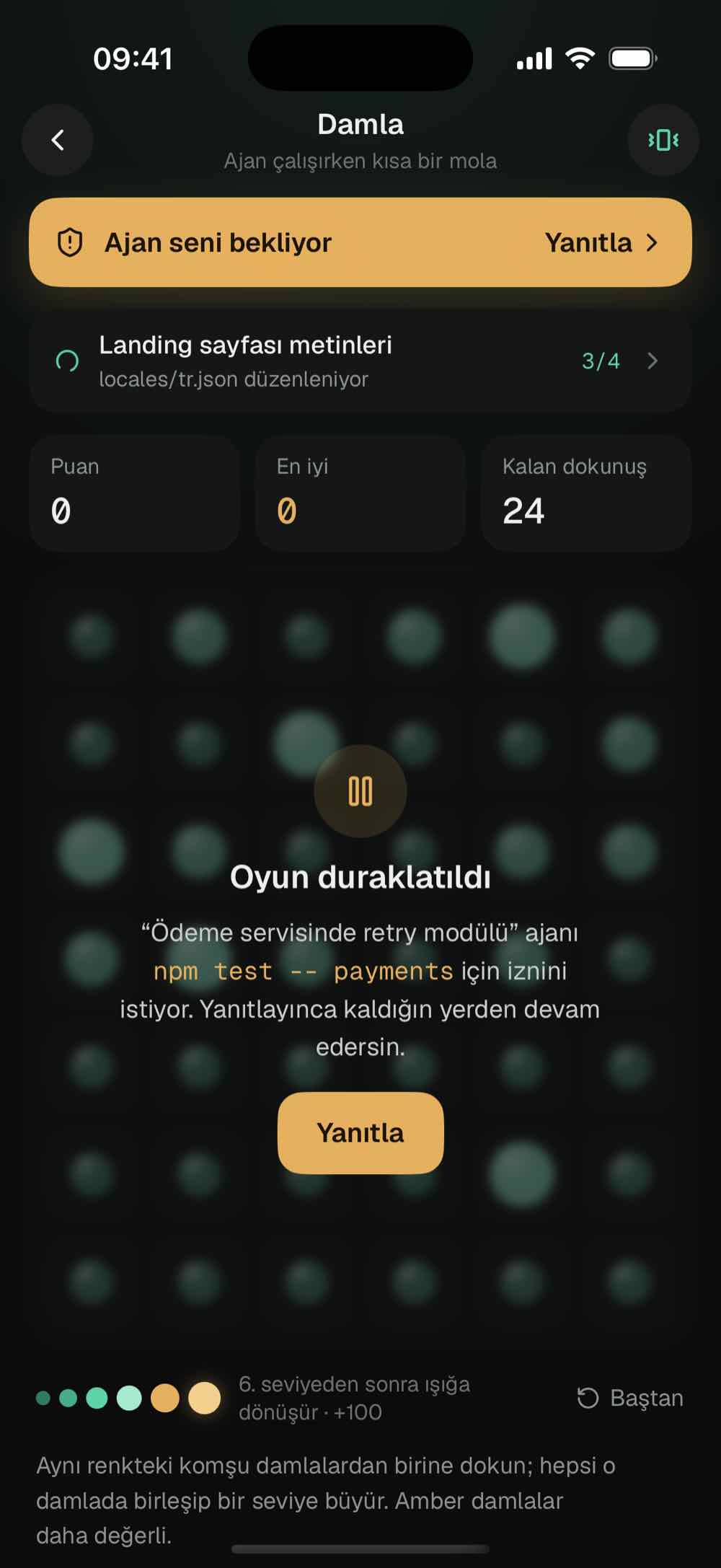
As long as the computer is on, the agents keep working. When something needs permission, an agent asks a question, a turn finishes or a routine fails, your phone gets an encrypted notification, and you can answer most of them without opening the app. A request nobody has answered gets one reminder after 30 minutes. Every evening at 18:00 you get a summary of the day: finished turns, the requests you answered, how the routines went and the total cost. If a computer with a working agent loses its connection, you're told about that as well.
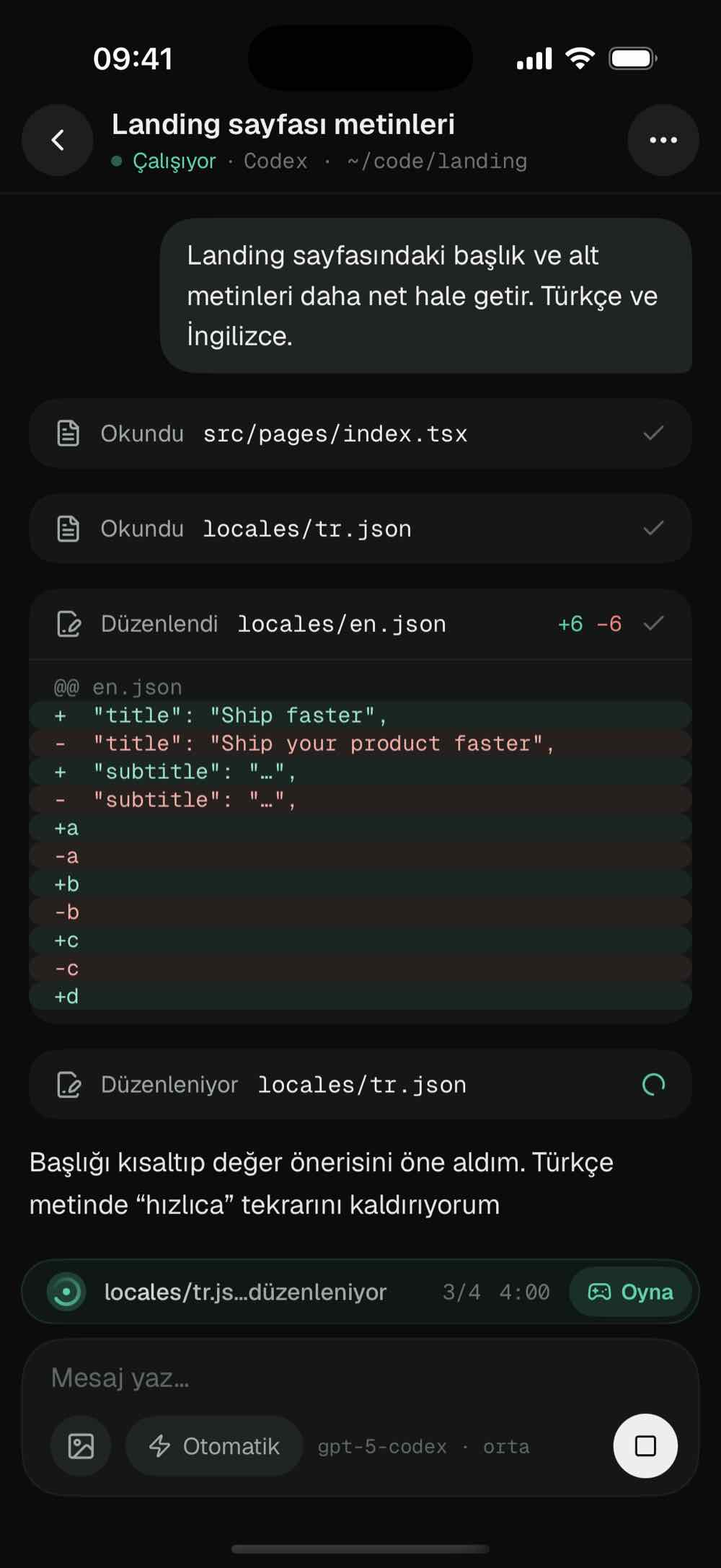
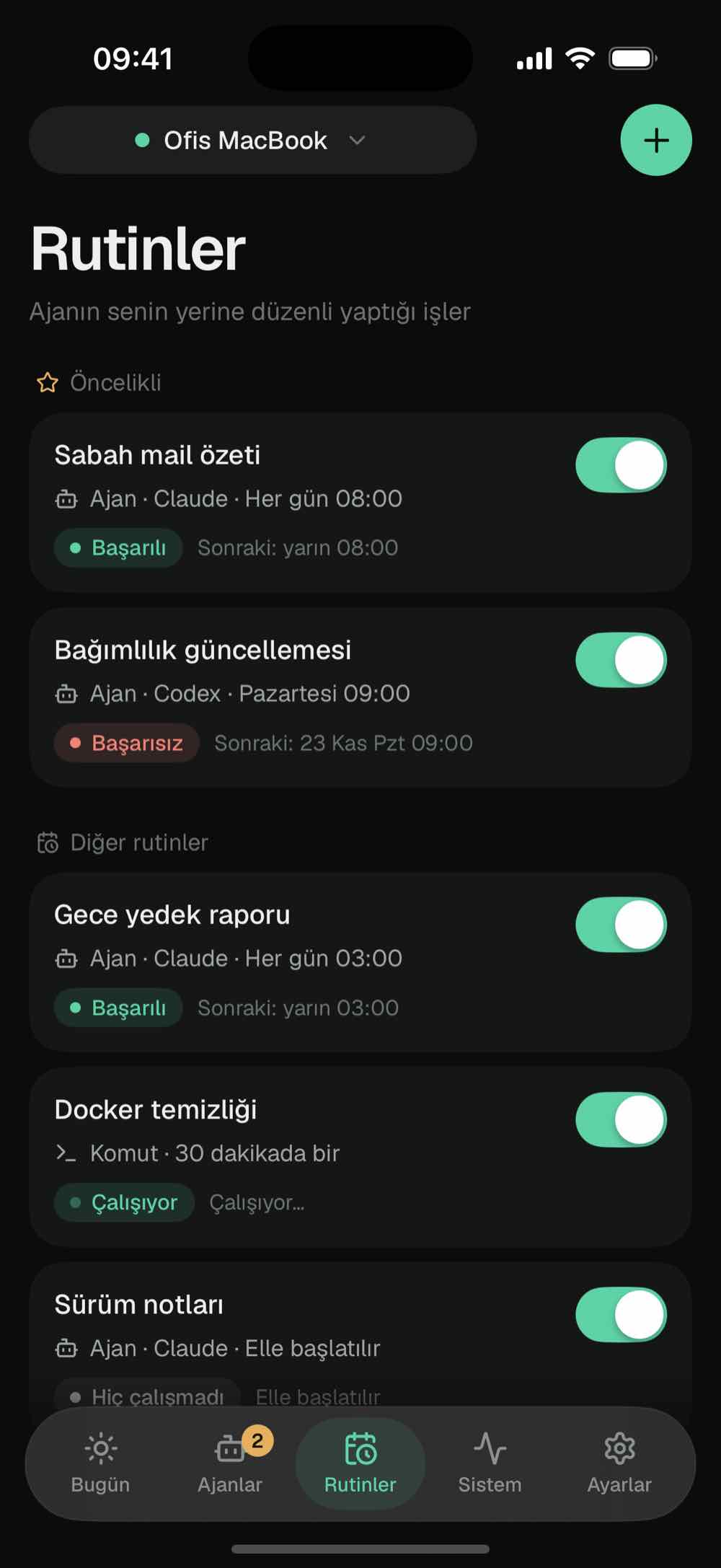
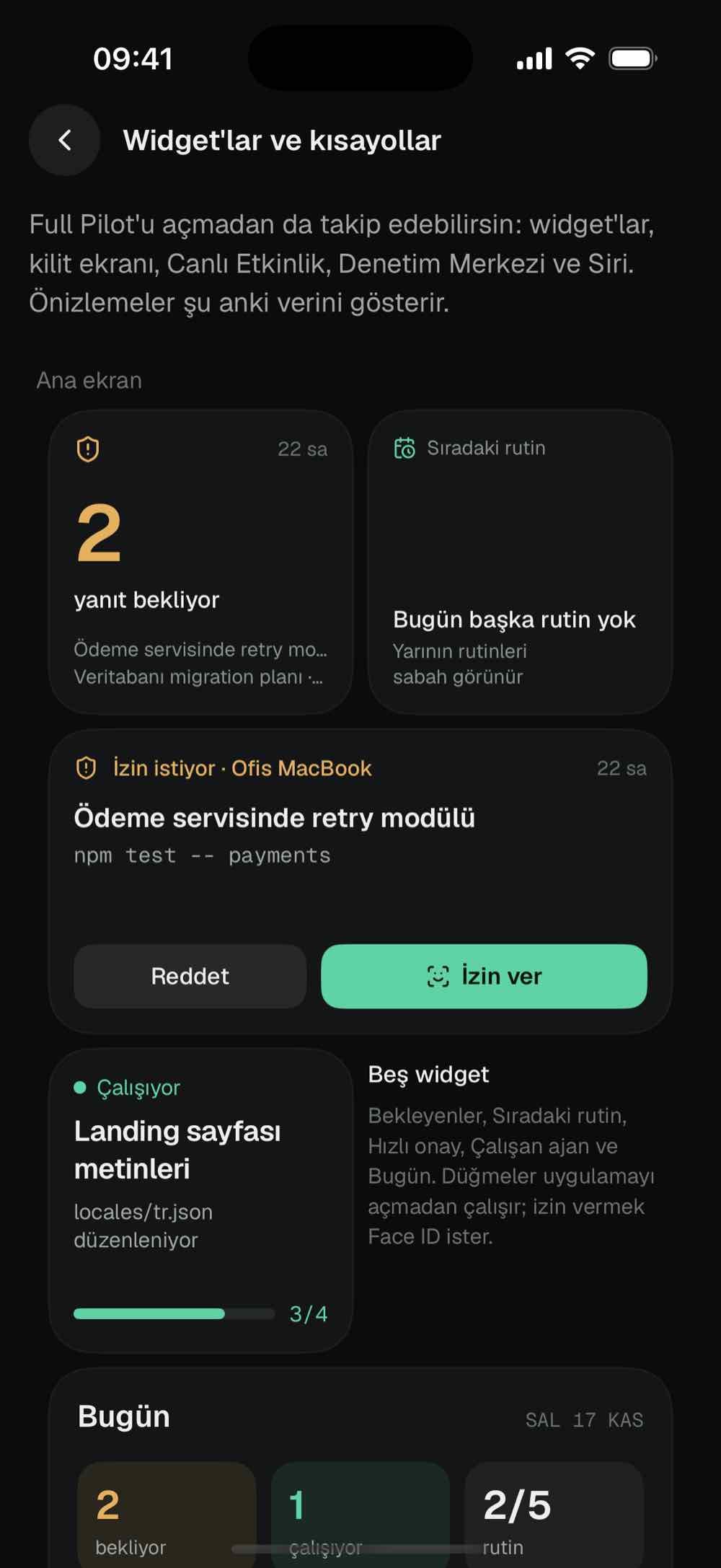
The apps' interface is in Turkish for now.
How do I set it up?
You don't need a terminal. The setup page walks you through each step and ticks off the ones you've finished.
Install the desktop app
On a Mac, open the DMG and start Full Pilot. On Windows, run FullPilot-Setup.exe; it doesn't ask for admin rights. The app starts by itself when you sign in.
Finish the setup page
The page that opens in your browser checks whether Claude Code or Codex is installed and signed in. On a Mac it asks for the permissions it needs one at a time and opens the matching settings pane.
Scan the QR code on your iPhone
In the Full Pilot app, tap Scan QR code and scan the code on the page. The code works once; after pairing, the phone finds your computer from other networks too.
Which platforms does it run on?
The agents run on your computer, and the iPhone app manages them. The Mac and Windows versions have the same features.
| Mac | Windows | |
|---|---|---|
| System | macOS 13 or later | Windows 10 and 11 (64-bit) |
| Processor | Apple silicon and Intel | x64 |
| Install | DMG, drag and drop | Setup.exe, no admin rights |
| Live screen | H.264 video, hardware encoding | H.264 video |
| Remote control | Click, scroll, drag, keyboard, clipboard | Click, scroll, drag, keyboard, clipboard |
| Routine commands | Your shell (zsh) | PowerShell |
| Updates | Automatic, signed | Automatic, signed |
Is Full Pilot secure?
The phone tries to reach your computer directly first. When traffic has to pass through a server, that server only sees encrypted data.
Direct first
Phone and computer recognize each other by device keys and connect over QUIC. On the same network the traffic stays local; across networks a direct path is tried. If none is found, the encrypted traffic passes through our relay server, which can't decrypt it.
No account
We don't ask for an email, a password or a username. Pairing uses a single-use QR code that is valid for 5 minutes; after 5 wrong attempts the code stops working.
Notifications are encrypted too
A notification's text and the command in the Live Activity are encrypted on your computer and decrypted on your phone. Our notification server and Apple only pass the encrypted data along.
You decide the access
There are four access modes: read-only, ask, auto and full access. Commands you trust run without asking. You can remove a phone's access with one tap.
Why not something else?
There are other ways to manage agents from your phone.
Claude Code Remote Control
Works with Claude Code only, needs a claude.ai subscription and routes traffic through Anthropic's servers. Full Pilot handles Codex and ACP agents in the same app, needs no account, and opens the computer's screen too.
Codex in the ChatGPT app
Connects Codex through the ChatGPT desktop app and OpenAI's relay. Full Pilot runs Codex directly on your computer and lists Claude Code next to it.
SSH and tmux (Termius, Blink)
Brings the terminal to your phone, but a permission request doesn't arrive as a notification, and you set up the network and keys yourself. In Full Pilot you approve from the notification, and setup needs no terminal.
Download
The desktop app is free. All versions, file sizes and SHA-256 checksums
iPhone
iOS 18 or later
Coming soon to the App StoreThe desktop app updates itself. It only installs versions whose signature checks out, and only while no agent is working.
Frequently asked questions
Do I need an account?
No. Phone and computer pair with the single-use QR code on the setup page. You keep using Claude Code or Codex with your own account.
Does my code or data go to your servers?
No. The agents run on your computer, and the link between phone and computer is end-to-end encrypted. Our notification server passes encrypted content along and can't read it.
What do your servers see?
The relay server sees the two devices' public keys, their IP addresses and when data flows, but not the content. The notification server sees your phone's push token, the devices' public keys and the encrypted notification. If our relay doesn't answer, iroh's public relays step in, and they can't decrypt the content either.
Which AI tools does it work with?
Claude Code, OpenAI Codex and agents that speak the Agent Client Protocol (ACP): jcode, Gemini CLI, OpenCode, goose and others. You need at least one of them installed and signed in on your computer; the setup page checks this.
How is this different from Claude Code's Remote Control?
Remote Control works with Claude Code and a claude.ai subscription only, and traffic goes through Anthropic. Full Pilot shows Claude Code, Codex and ACP agents in one app, needs no account, opens the computer's screen and gives agents computer tools.
Can the agent use apps on my computer?
Yes, as far as the access mode allows. The agent reads windows from the accessibility tree and never touches password fields. In a read-only chat it can only read.
Do I need to be on the same Wi-Fi?
No. The phone finds your computer over mobile data or another network as well. On the same network the connection is direct and faster.
How do I know if the connection is direct?
In the app, open Computers › your computer › Connection. The path line says Direct · same network, Direct · internet or Via relay. The same screen shows the latency and, when a relay is in use, which relay server the traffic goes through.
What happens when my computer is off?
The agents run on your computer, so they don't work while it's off or asleep. If a computer with a working agent or an upcoming routine stops responding, your phone gets a notification.
Is there Android or Linux?
For now the phone app is iPhone only. There is no Linux download.
How much does it cost?
The desktop app is free.
How do updates arrive?
The desktop app checks for a new version every few hours and installs it itself. It only installs updates we signed, and only while no agent is working. You can also check by hand from the setup page.
Is the app available in English?
The iPhone app is available in English and Turkish.
Will I see a security warning on first launch?
Since version 0.1.6 the Mac app is signed with Valorite's Developer ID and notarized by Apple. SmartScreen may show a warning because the Windows installer is still unsigned.